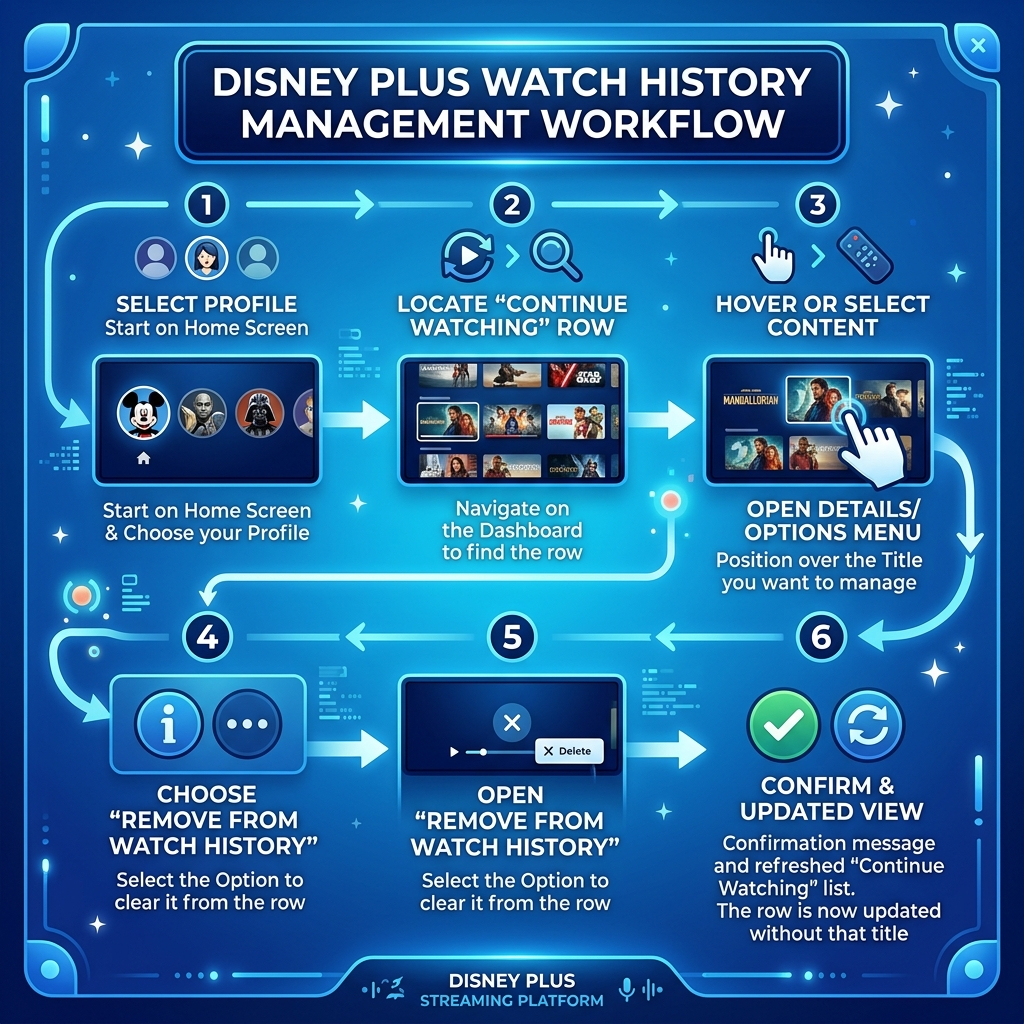
Why Clear Your Disney Plus Watch History
Privacy matters when sharing streaming accounts. Your watch history reveals viewing preferences to other profile users. Family members might accidentally see what you’ve been watching. Clearing history improves recommendation accuracy. Disney Plus algorithms suggest content based on viewing patterns. Old or accidentally-clicked titles skew these suggestions. Removing unwanted entries refines your experience. Profile organization becomes simpler with regular maintenance. Continue watching lists stay relevant. You’ll find current shows faster without scrolling past finished series. Account holders often share subscriptions through platforms like Anexly’s streaming sharing service. Managing watch history maintains clear boundaries between users. Each person enjoys personalized content without interference. Regular history clearing prevents embarrassing situations. Kids might stumble onto adult viewing records. Professional accounts benefit from clean interfaces during presentations.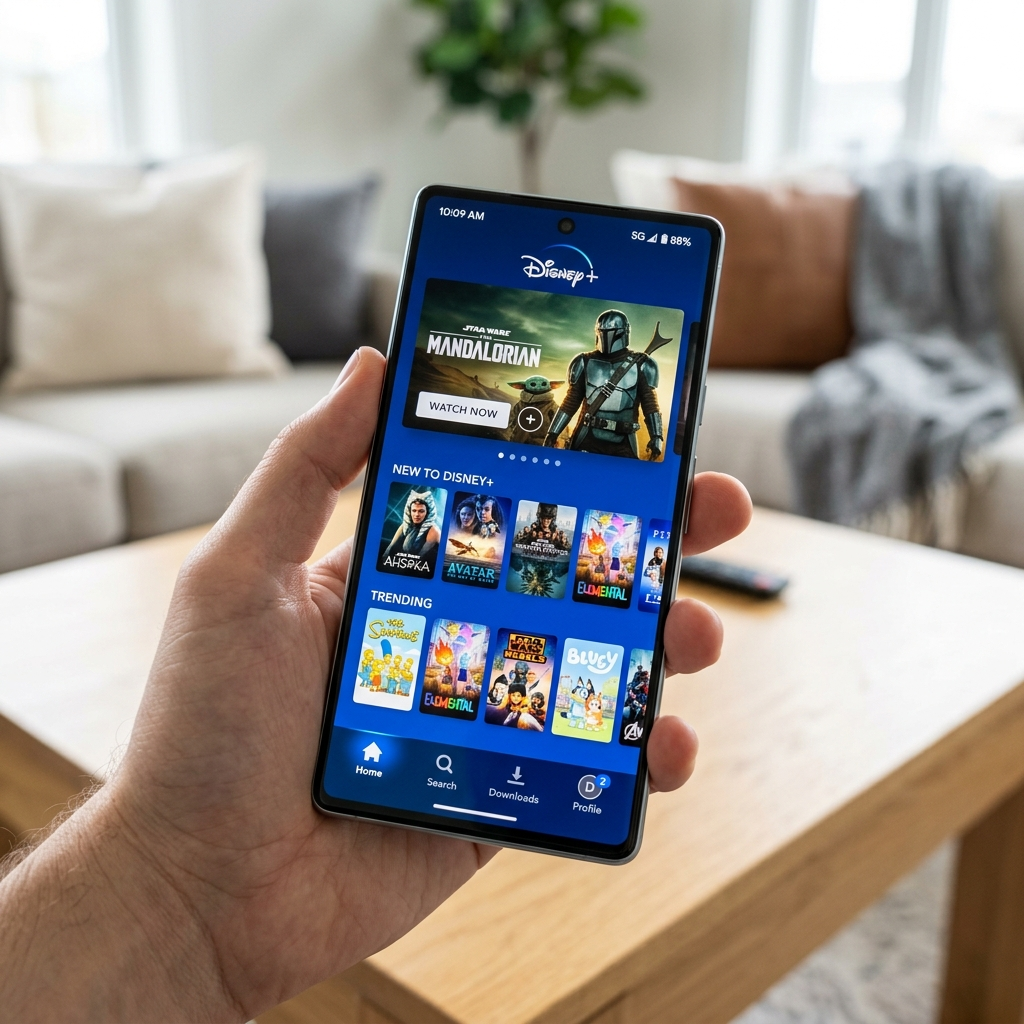
How to Clear Watch History on Disney Plus Using Mobile Devices
Mobile apps make history management convenient. iPhone and Android users follow identical steps. Open the Disney Plus app on your device. Tap your profile icon in the bottom navigation bar. Select ‘Account’ from the menu options. Scroll down to find ‘Profile Settings’ under your chosen profile. Locate the ‘Viewing Activity’ or ‘Watch History’ section. This displays every title you’ve watched recently. Tap the ‘X’ or delete icon next to unwanted entries. You can remove items individually or clear entire sections. Some users prefer selective deletion for specific titles. Others clear everything periodically for fresh starts. Mobile clearing works offline once pages load. Changes sync automatically when reconnected. Disney Plus support documentation confirms synchronization happens within minutes. The mobile process for how to clear watch history on Disney Plus takes under two minutes. Most subscribers complete cleanup during commercial breaks. Regular maintenance keeps profiles optimized.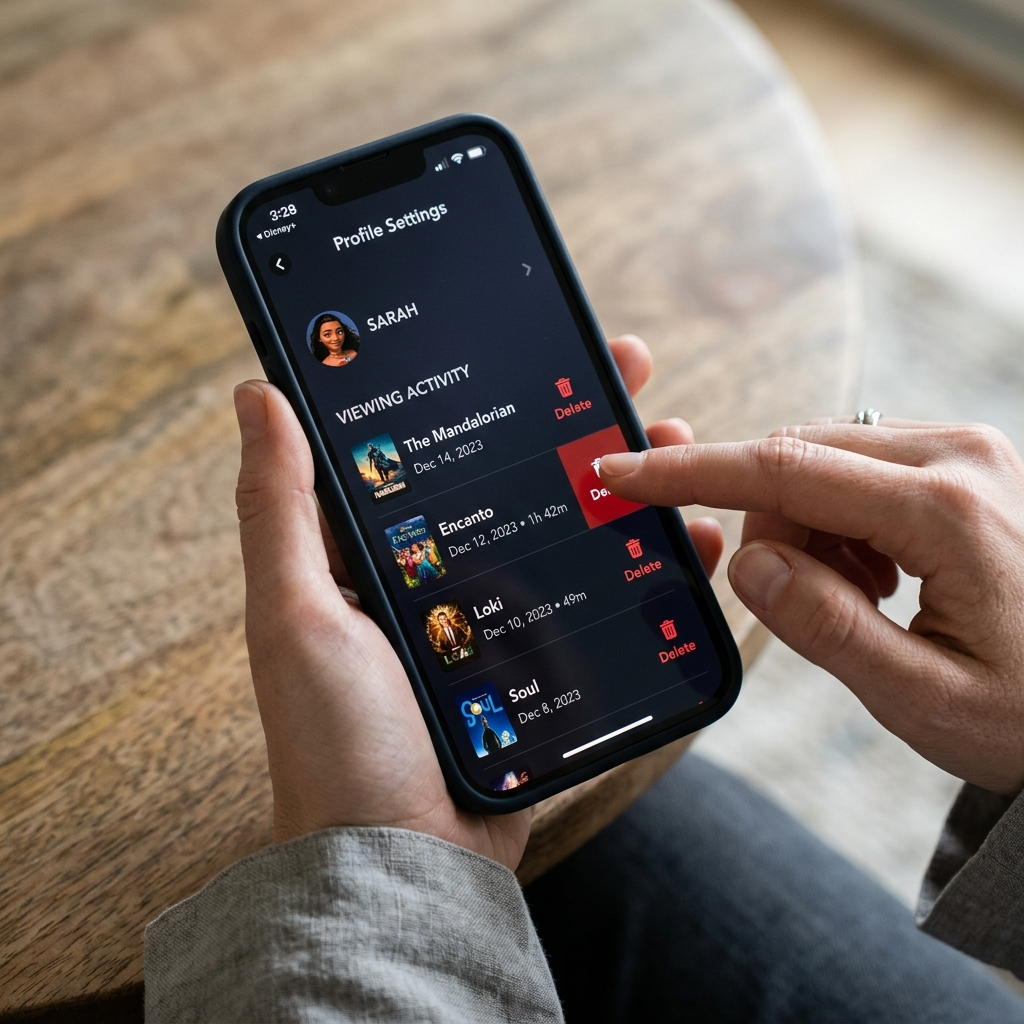
Clear Disney Plus Watch History on Desktop and Web Browsers
Desktop browsers offer expanded viewing for history management. Visit DisneyPlus.com and log into your account. Click your profile avatar in the top right corner. Select ‘Account’ from the dropdown menu. Navigate to the profile you want to edit. Desktop interfaces display more entries simultaneously than mobile versions. Scroll through your complete viewing history chronologically. The web interface shows titles with thumbnail images. Click the ‘Remove’ or ‘X’ button beside each entry. Desktop clearing allows faster bulk management. You can open multiple tabs for different profiles. This helps families manage shared accounts efficiently. Keyboard shortcuts speed up the deletion process. Tab through entries and press Enter to remove them. Power users appreciate these efficiency features. Browser-based management for how to clear watch history on Disney Plus provides detailed control. You’ll see exact timestamps for each viewing session. This helps identify which entries need removal.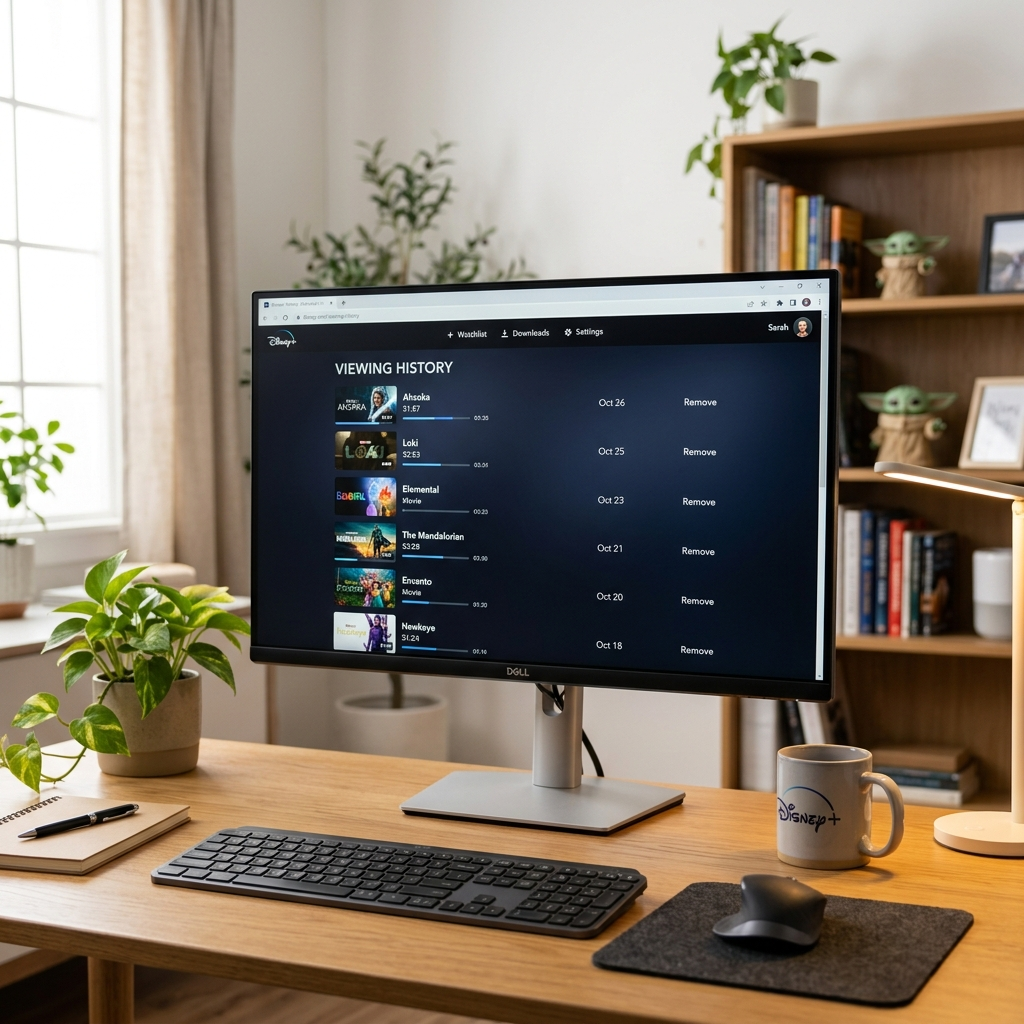
Managing Watch History on Smart TVs and Streaming Devices
Smart TV apps handle history differently than mobile versions. Navigate to your profile using the TV remote. Most platforms place account settings in the main menu. Press the back button or menu button on your remote. Select ‘Settings’ or look for a gear icon. Profile management appears under account options. Smart TV interfaces prioritize simplicity over detailed controls. Some devices require browser access for full history management. Roku, Fire TV, and Apple TV follow similar patterns. You can sign out and sign back in to refresh viewing data. This doesn’t delete history but updates recommendations. Actual deletion requires mobile or desktop access. Console gamers using PlayStation or Xbox face identical limitations. Gaming platform apps focus on streaming rather than account management. Use companion devices for detailed control. Understanding how to clear watch history on Disney Plus across devices ensures complete management. Anexly subscribers benefit from clear profiles when sharing accounts. Each user maintains their viewing preferences independently.
Best Practices for Disney Plus Watch History Management
Schedule regular history reviews monthly or quarterly. Consistent maintenance prevents overwhelming cleanup sessions. Most active users clear history every few weeks. Create separate profiles for different household members. This reduces accidental viewing overlap. Kids profiles automatically filter inappropriate content from history. Use ‘Continue Watching’ strategically by removing finished series. This keeps your homepage focused on current interests. Delete abandoned shows you won’t finish. Consider privacy when sharing accounts with extended family. Some viewers prefer private browsing habits. Regular clearing maintains comfortable sharing arrangements. Document your clearing schedule in phone reminders. Monthly notifications help maintain consistent habits. Clean profiles enhance overall streaming satisfaction. Subscription sharing through services like Anexly requires clear communication about profile management. Trusted users should understand how to clear watch history on Disney Plus independently. This maintains harmony in shared account arrangements. Backup favorite titles in watchlists before clearing history. Disney Plus doesn’t restore deleted viewing records. Save important references separately.