
No products in the cart.

How Disney Plus Invite an Extra Member Works
Disney Plus introduced extra member functionality to address password sharing concerns. Account holders can now officially add users outside their household for an additional monthly charge. This feature legitimizes what many subscribers were already doing informally. The system works through invitation codes. Primary account holders generate unique links through their account settings. Recipients receive email invitations with setup instructions. Once accepted, extra members gain full platform access. Each extra member slot costs approximately $7.99 monthly in most regions. This pricing sits below a full standalone subscription but generates additional revenue for Disney. The feature supports up to one extra member per standard account. Premium subscribers may access multiple slots depending on their plan tier. Extra members create their own profiles within the shared account structure. They receive personalized recommendations and maintain separate watch histories. However, they cannot manage billing or invite additional users themselves. Learn more about Disney Plus account sharing policies for complete details.
Step-by-Step Process to Invite an Extra Member
Setting up extra member access requires following Disney’s official process. Navigate to your account settings through the Disney Plus website or app. Look for the ‘Extra Member’ or ‘Household’ section in your account management area. Click ‘Add Extra Member’ to begin the invitation process. Enter the recipient’s email address carefully. Disney sends a unique invitation link valid for seven days. Recipients must accept within this timeframe or you’ll need to resend the invitation. The invited person creates their own login credentials. They download the Disney Plus app or visit the website. After entering the invitation code, they set up a password and profile. The system automatically links their access to your billing account. Billing updates occur immediately after acceptance. Your next statement reflects the additional monthly charge for the extra member slot. Disney Plus provides clear notification about cost changes. Check Disney’s official support documentation for region-specific pricing details. Managing extra members remains simple through account settings. You can remove access anytime without penalties. The system prorates charges if you add or remove members mid-billing cycle.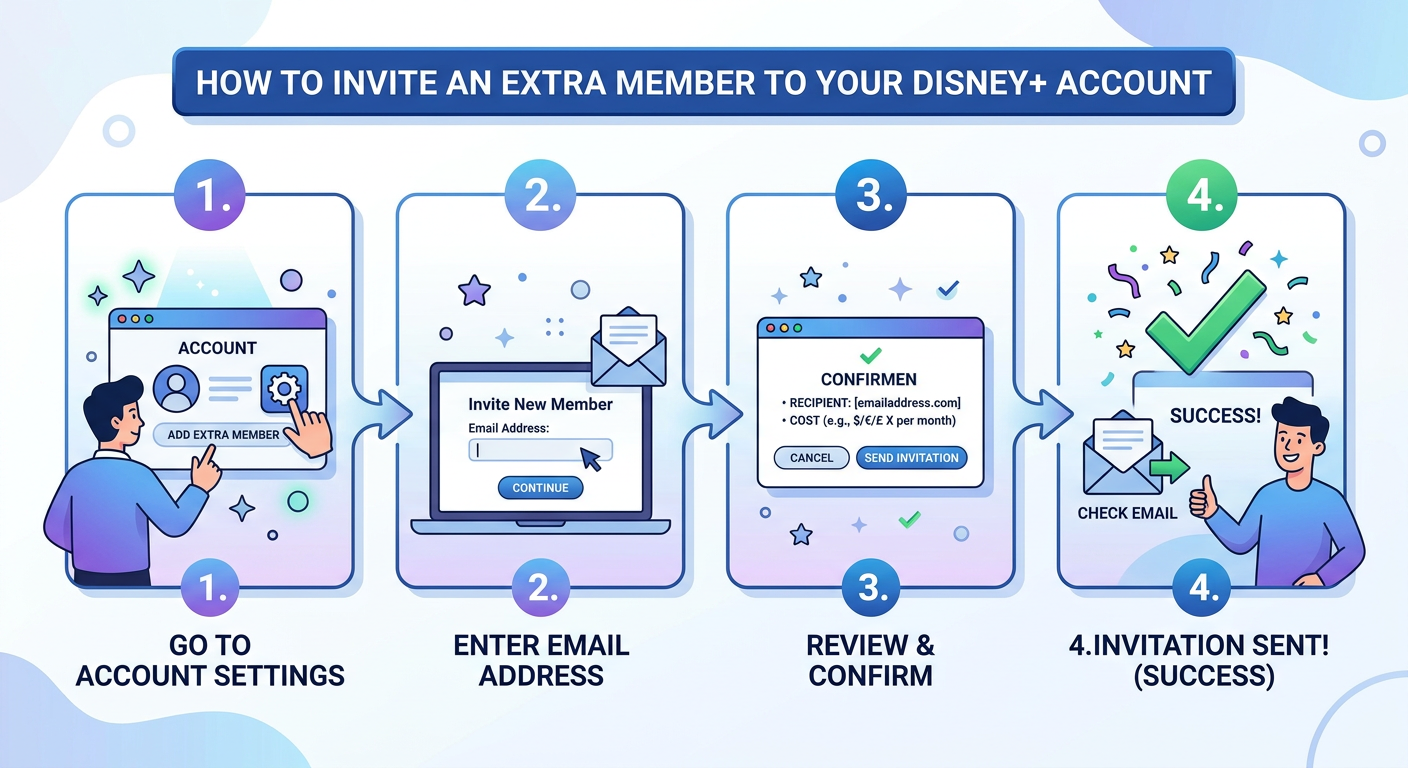
Extra Member Costs and Subscription Tiers
Disney Plus invite an extra member pricing varies by region and subscription level. Standard accounts typically pay $7.99 monthly per extra member slot. This represents roughly 40% of a full subscription cost. Premium subscribers sometimes access discounted rates. Bundle packages with Hulu or ESPN+ may include extra member slots at reduced prices. Always check your specific plan details for accurate pricing information. The cost structure makes sharing economical for both parties. Primary account holders can split the extra member fee with recipients. This arrangement creates savings for everyone involved compared to separate subscriptions. Compare this to purchasing individual accounts. Two separate Disney Plus subscriptions cost approximately $32 monthly. Adding one extra member brings total costs to roughly $28. The savings add up significantly over yearly periods. Payment processing occurs through the primary account holder’s billing method. Extra members cannot pay directly through Disney’s system. Most users arrange private payment splits through digital payment apps. Consider exploring subscription sharing platforms for organized cost management.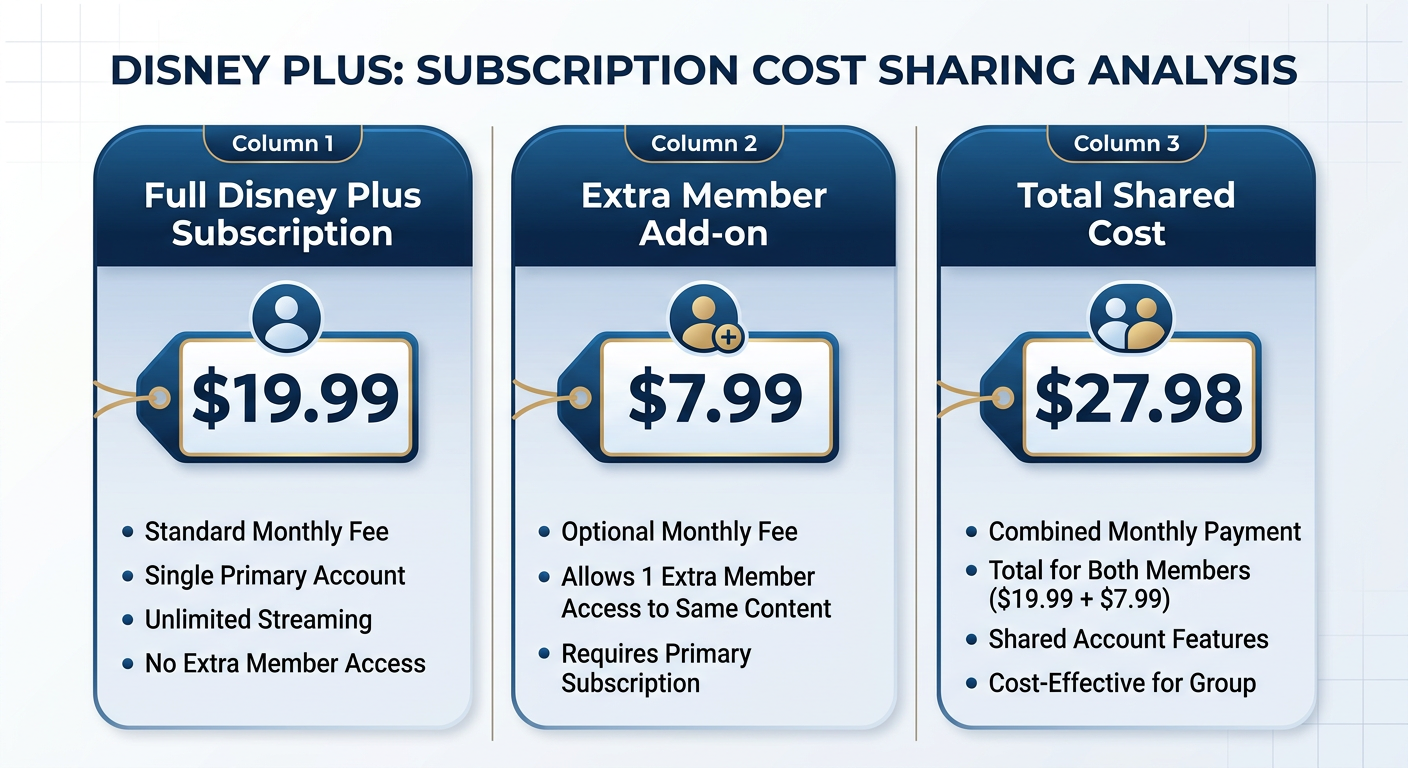
Managing Extra Member Access and Restrictions
Account holders maintain full control over extra member privileges. Access management tools appear in the account settings dashboard. You can revoke invitations or remove existing extra members instantly. Extra members face certain limitations compared to primary household users. They cannot download content for offline viewing in some regions. Simultaneous streaming counts against the account’s total device limit. Standard plans allow four concurrent streams regardless of extra member status. Geographic restrictions apply to extra member access. Disney uses IP address verification to confirm household locations. Extra members must reside in the same country as the primary account holder. International access requires VPN solutions or separate subscriptions. Profile customization works identically for extra members. They create kid-safe profiles and set viewing preferences independently. Parental controls remain under primary account holder management. Extra members cannot modify these security settings. Removal processes take effect immediately. Deleted extra members lose access within minutes of revocation. Disney doesn’t provide refunds for partial months. Plan removal timing carefully to maximize value. Check independent streaming news sources for policy updates.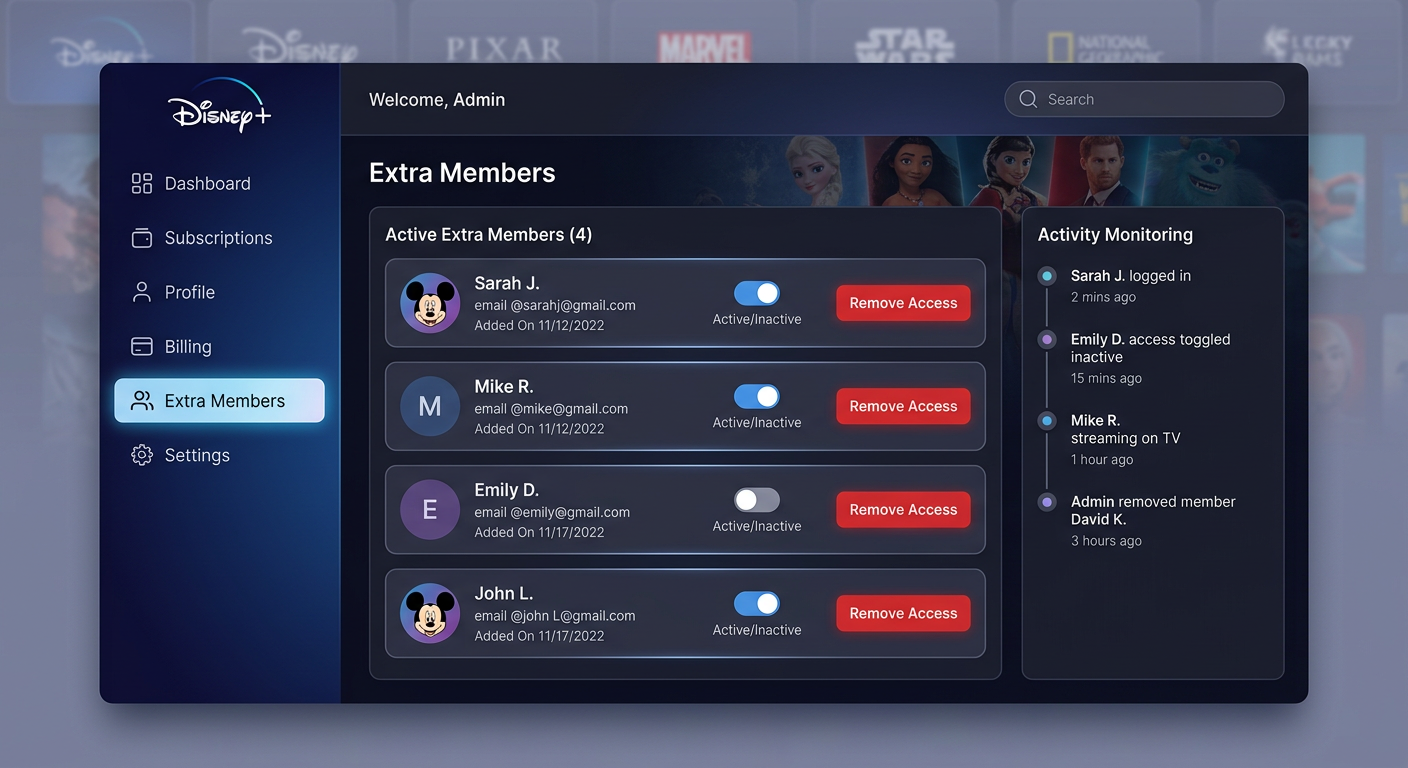
Alternatives to Disney Plus Extra Member Feature
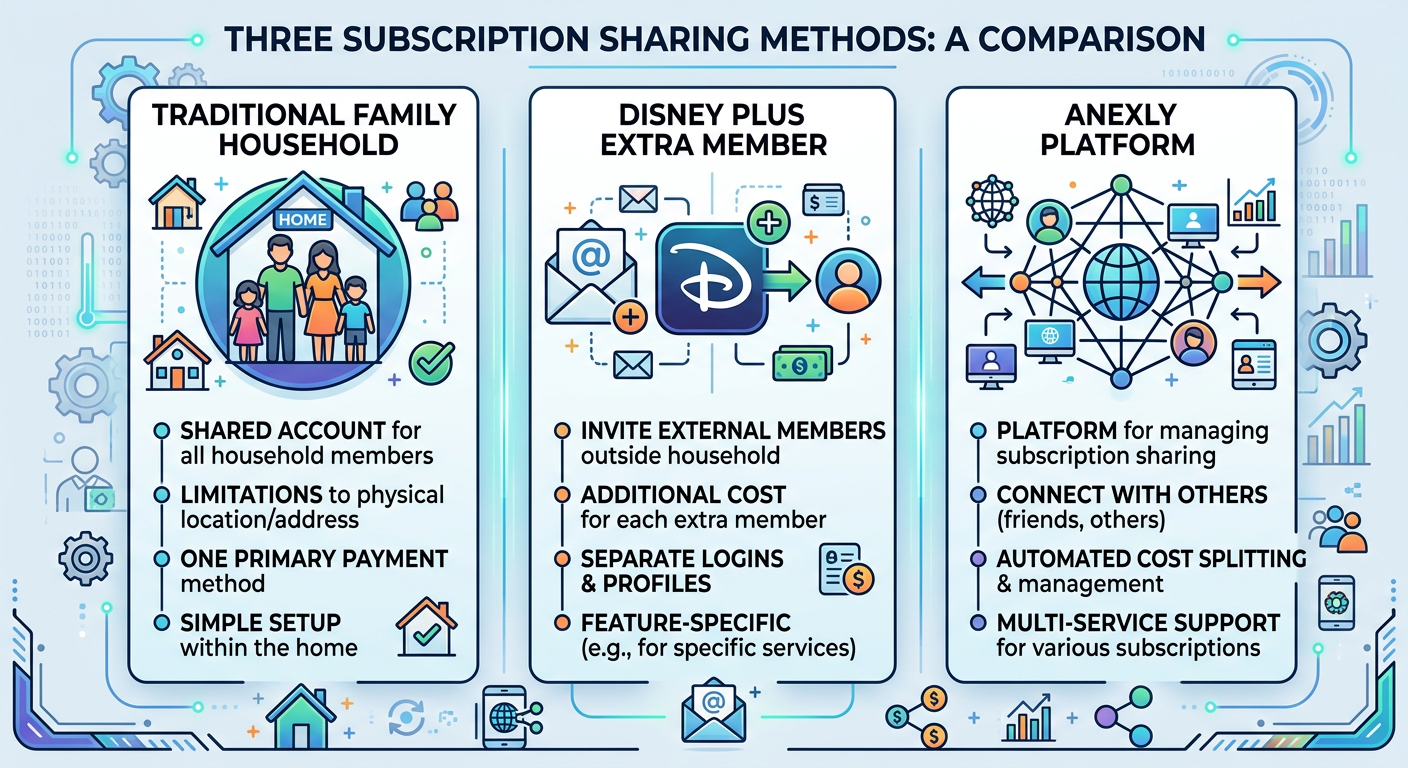
Several options exist beyond Disney’s official extra member system. Traditional household sharing remains the simplest approach for families living together. Four simultaneous streams accommodate most household needs without additional fees. Subscription sharing platforms offer organized alternatives. Services like Anexly facilitate secure sharing arrangements with trusted users. These platforms handle payment splitting automatically and provide accountability structures. Family plan upgrades sometimes prove more economical than extra member slots. Premium Disney Plus tiers include additional features beyond extra member access. Evaluate whether upgraded plans better suit your viewing needs. Rotational subscriptions represent another cost-saving strategy. Groups of friends subscribe to different services and share access on rotating schedules. This approach requires coordination but minimizes individual expenses significantly. Account bundling through providers like Verizon or Amazon reduces overall costs. Many telecom companies include Disney Plus in their package deals. These bundles often cost less than standalone subscriptions plus extra member fees. Research available promotions before committing to extra member purchases.